
Sender accounts
Connect one or more mailboxes. Optionally save the app password, encrypted, so scheduled and interrupted campaigns can continue on their own.
Bring your own mailbox · Transparent pricing
Import your contacts, personalise campaigns, manage unsubscribes, and monitor sending progress from one simple dashboard.
No card needed for the Free plan. Emails go out from your Gmail, Google Workspace, Outlook or company mail server: you keep your mailbox, we don't run a separate delivery network.
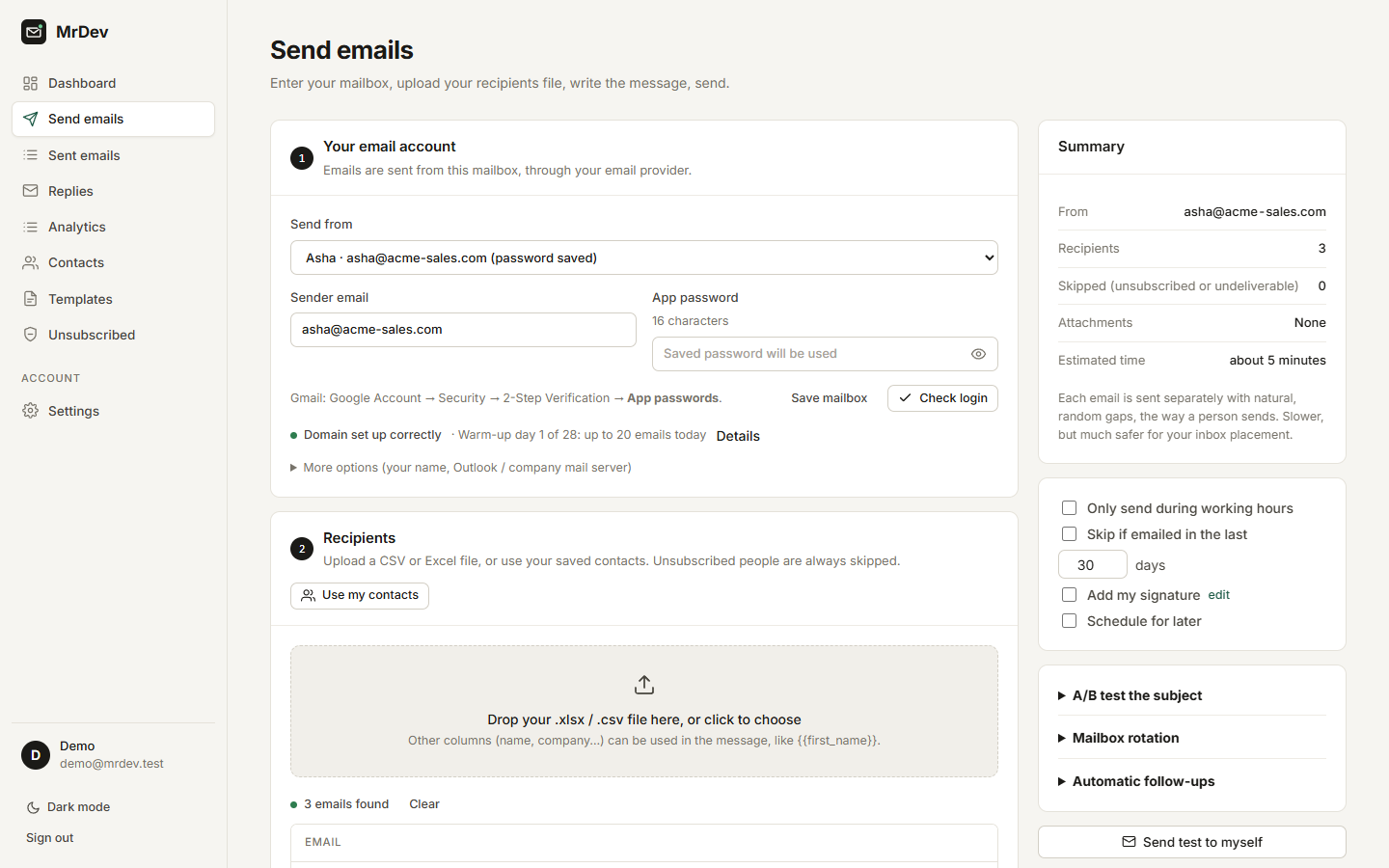
Add your email address and an app password (or your company's SMTP server). We check that it signs in before you send anything.
Upload a CSV or Excel file, or use your saved contacts. Invalid and duplicate addresses are removed and unsubscribed people are skipped.
Use merge tags like {{first_name|there}} from your file's columns. Preview the exact email and send yourself a test.
Emails go out one at a time with a pause between them. Watch progress live, stop or resume at any time, and review every result.
Connect one or more mailboxes. Optionally save the app password, encrypted, so scheduled and interrupted campaigns can continue on their own.
Email addresses are found automatically; other columns become merge tags. Files are checked for size and safety.
Merge tags with fallbacks, plain-text emails that read like a personal message, or simple formatting with bold, links and lists.
Keep your contacts and reusable message templates in one place, private to your account.
One email at a time, a delay between each, your plan's limits and a per-mailbox daily cap. Pause, stop and resume without anyone getting an email twice.
Pick a start time and the campaign begins on its own (needs the sender's password saved; paid plans).
One-click unsubscribe links, automatic suppression of opt-outs and addresses your mail server rejects.
Every attempted email is logged with its result. Search, filter and export to CSV; see per-campaign summaries and failure reasons.
You connect a mailbox you already pay for. For Gmail and Google Workspace that means turning on 2-Step Verification and creating an app password; Outlook and most company mail servers work with their SMTP settings.
Your email provider decides how much you can send. Each provider publishes its own limits and can change them, apply stricter limits to new accounts, or filter email at any volume. We pace your campaigns and pause when a limit is reached, but we can't raise or bypass a provider's limits, and nobody can guarantee inbox placement.
Tips for good deliverability: send to people who expect to hear from you, keep lists clean, set up SPF, DKIM and DMARC for your domain, and start new mailboxes with small volumes.
Prices in Indian rupees per month. Limits are what this platform allows; your email provider's own sending limits still apply.
Contacts, campaigns, history and unsubscribe lists are private to your account and isolated from every other customer.
Used only to connect to your mail server over TLS. Saved only if you choose to, encrypted with AES-256-GCM using a key kept outside the database, and never shown again.
Passwords hashed with scrypt, rate-limited sign-in, revocable sessions, HTTPS everywhere, and you can delete your account and data at any time.
No. Emails are sent from the mailbox you connect, through your provider's mail servers. That's why there are no per-email delivery fees, and why your provider's limits and policies apply.
Nobody can guarantee that. Inbox placement depends on your domain's setup (SPF, DKIM, DMARC), your mailbox's reputation, your content and whether recipients want your email. Plain-text personal emails to people who expect them tend to do best.
Your plan sets monthly and daily platform limits. Separately, your email provider has its own limits (for example, consumer Gmail accounts allow far fewer emails per day than Google Workspace). Campaigns pause automatically when a limit is reached.
A separate password your provider creates for apps that sign in to your mailbox. For Google accounts it requires 2-Step Verification. You can revoke it at any time from your Google account without changing your main password.
No. Our Acceptable Use Policy requires that you have a lawful basis to email every recipient. Bought or scraped lists aren't allowed and accounts that send spam are suspended.
Yes. Cancel from the Billing page; your paid plan stays active until the end of the period you've paid for. See the subscription and cancellation policy.
Connect your mailbox and send your first campaign in minutes.
Create your account